AI Aging — Age a Photo Online
Explore an AI aging illustration from an adult portrait. Choose 10, 20, 30 or 40 additional years and try the private age filter tool.
How AI Aging Changes a Photo
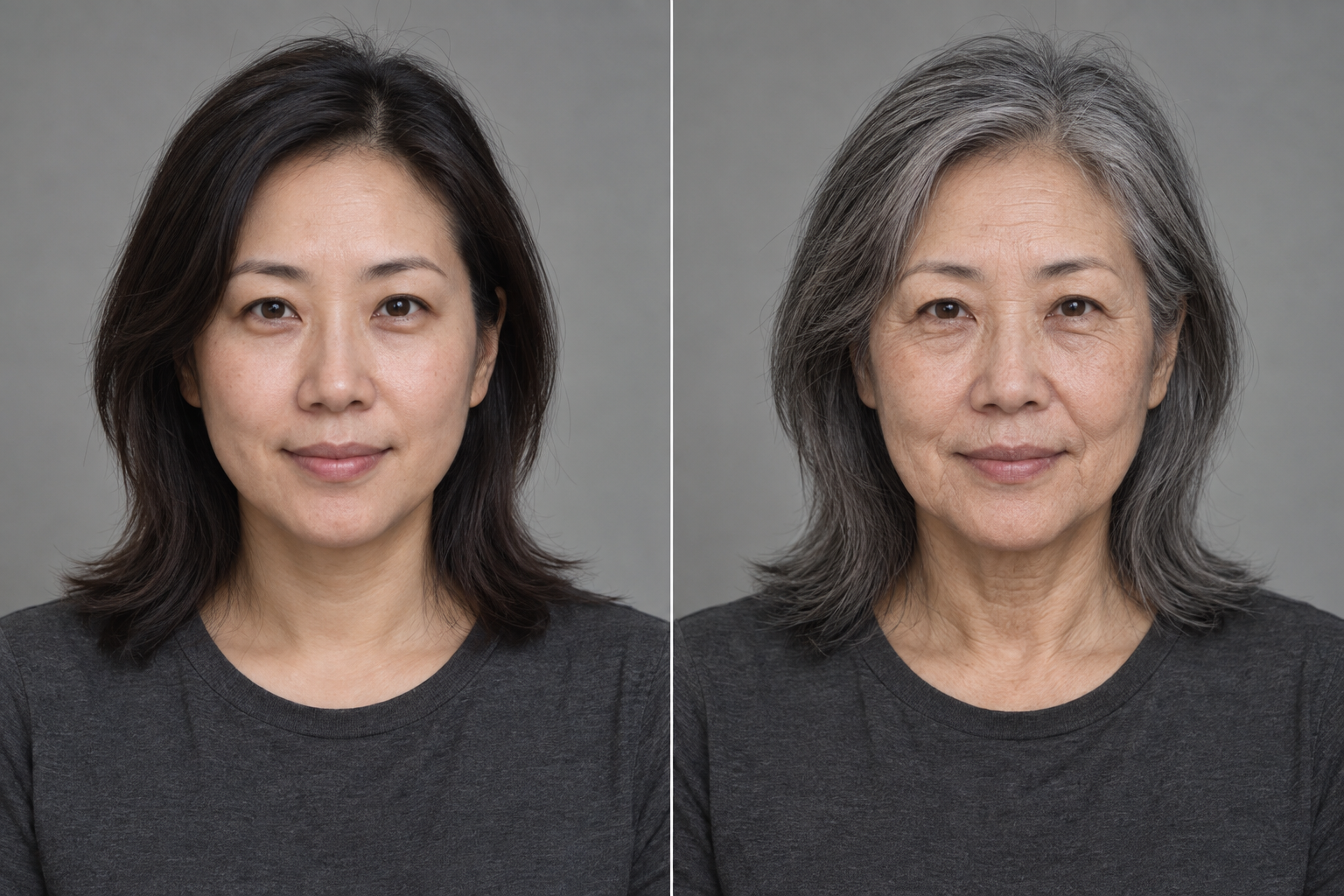
The image model redraws a portrait with signs associated with additional years, such as lines, skin texture and gray hair. It is asked to keep the adult's identity and composition recognizable. Each result is a new illustration rather than a measured prediction of future appearance.
Choose an Additional Years Setting
Select +10, +20, +30 or +40 relative to the starting portrait. These settings guide the strength of the edit; they do not set an exact birthday or measure the person's current age. The same setting may produce a different image on another attempt.
Compare Identity Before Detail
After generation, compare the original and result around the eyes, nose, mouth and facial proportions. A convincing wrinkle pattern cannot compensate for a changed identity. Download the AI-labelled copy while it remains available.
Private photos and results stop being accessible within 24 hours. Storage cleanup begins earlier; see the privacy policy.